
арван нэгдүгээр сар 5, 2015
Restore deleted events in Google Calendar web


Ever deleted a calendar event by mistake and wanted to get it back - just like you can in Gmail and Drive? Now you can: today we’re adding Trash functionality to Google Calendar on the web, providing an easy way for users to view, permanently delete, or restore individual and recurring deleted calendar events. Trash puts calendar users in control by letting them quickly reverse any event mishaps, and limits escalations to Google Apps admins.
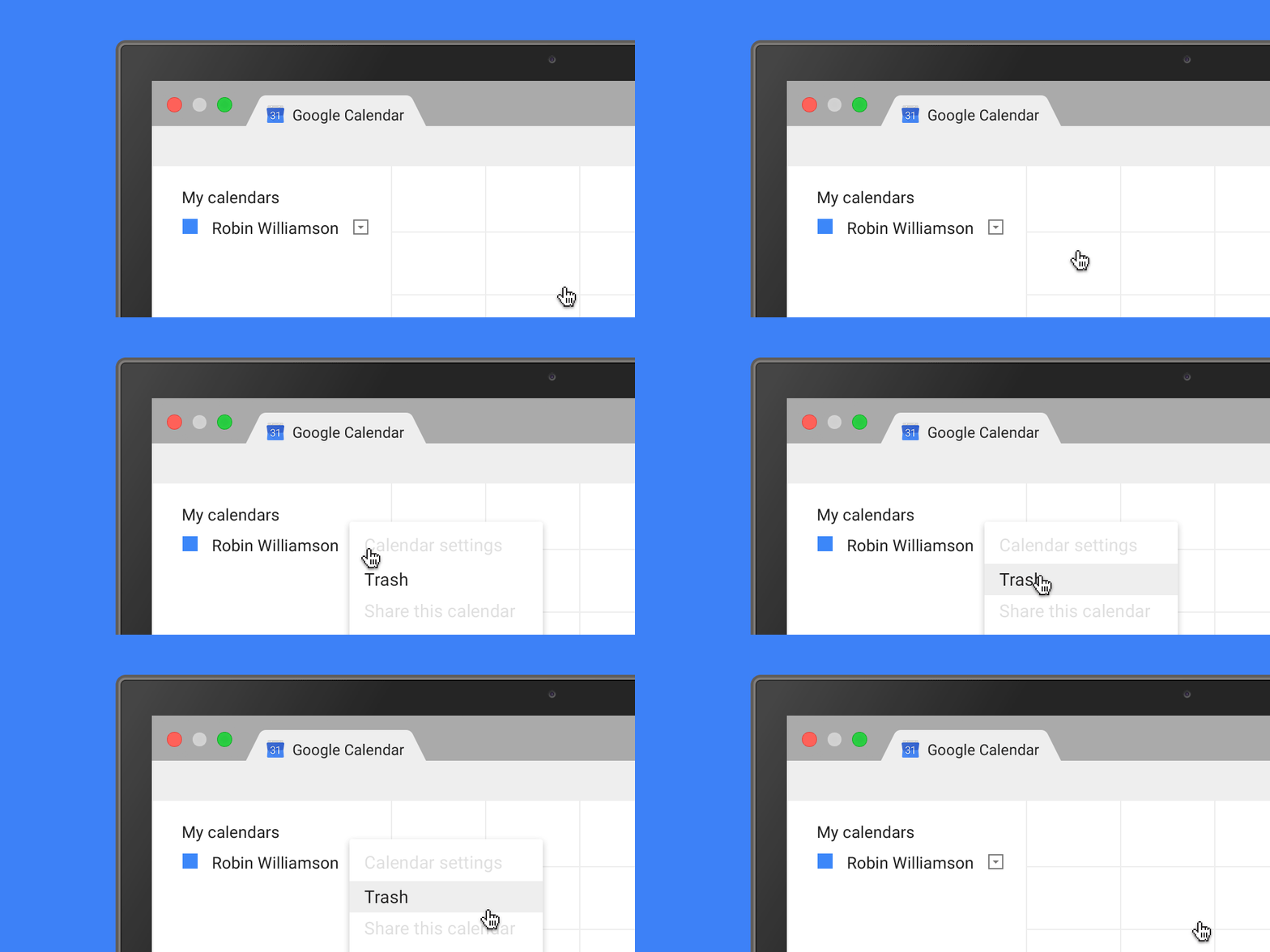
Trash is accessible from the calendar's dropdown menu in the "My calendars" section as well as from Calendar Settings. This functionality is available for both primary calendars and secondary calendars for which people have edit rights.
Admins can track events restored or removed from Trash within their domain using Calendar Audit logs in the Admin console.
Check out the Help Center for more information.
Note: The first time a user deletes an event from a shared calendar after the launch, a one-time email notification will be sent to them from Google Calendar, explaining the Trash options and details around sharing settings.
Launch Details
Release track:
Launching to both Rapid release and Scheduled release
Rollout pace:
Full rollout (1-3 days for feature visibility)
Impact:
All end users
Action:
Change management suggested/FYI
More Information
Help Center
Note: all launches are applicable to all Google Apps editions unless otherwise noted
Launch release calendar
Launch detail categories
Get these product update alerts by email
Subscribe to the RSS feed of these updates
Trash is accessible from the calendar's dropdown menu in the "My calendars" section as well as from Calendar Settings. This functionality is available for both primary calendars and secondary calendars for which people have edit rights.
Admins can track events restored or removed from Trash within their domain using Calendar Audit logs in the Admin console.
Check out the Help Center for more information.
Note: The first time a user deletes an event from a shared calendar after the launch, a one-time email notification will be sent to them from Google Calendar, explaining the Trash options and details around sharing settings.
Launch Details
Release track:
Launching to both Rapid release and Scheduled release
Rollout pace:
Full rollout (1-3 days for feature visibility)
Impact:
All end users
Action:
Change management suggested/FYI
More Information
Help Center
Note: all launches are applicable to all Google Apps editions unless otherwise noted
Launch release calendar
Launch detail categories
Get these product update alerts by email
Subscribe to the RSS feed of these updates