This official feed from the Google Workspace team provides essential information about new features and improvements for Google Workspace customers.


A new version (v4.2.1) of Google Apps Directory Sync (GADS) is now available:

What’s Fixed 

  • Fixed an issue where GADS wasn't updating the a user’s primary organization value, when the primary organization previously existed but didn't originate from GADS. 
  • Fixed an issue where GADS wasn't saving the custom email address attribute defined in the license sync configuration. 

Check out the Help Center for more details and download the latest version of GADS.

Launch Details
Release track:
Launching to both Rapid release and Scheduled release

Rollout pace: 
Full rollout (1-3 days for feature visibility)

Impact: 
Admins only

Action: 
Admin action required (download the latest version of GADS)

More Information 
GADS Overview
What’s New in GADS

Note: all launches are applicable to all Google Apps editions unless otherwise noted

Launch release calendar
Launch detail categories
Get these product update alerts by email
Subscribe to the RSS feed of these updates

Google Drive allows users to easily share files with collaborators through access control permissions and sharable links. With this launch, we are making it even easier to turn on file sharing in Drive on the web. Just select a file and click on the “Get sharable link” icon on the top right-hand side menu. You’ll then have the option to turn on link sharing with one click on the toggle switch.* The sharing link will then be copied to the clipboard for easy distribution and will provide view access to anyone in your domain who receives the link.

To prevent accidental over-sharing, the user will see an animation when clicking the toggle switch that makes it clear that the permissions are being changed to allow the link to be shared with view access with those who will be receiving it. In addition, there is a confirmation message that appears on the screen, alerting users of the change in permissions, and giving them the option to easily undo it.
*Note: this post was edited on April 5, 2016 to reflect a change in the default behavior

Launch Details
Release track:
Launching to Rapid release, with Scheduled release coming in three weeks

Rollout pace:
Gradual rollout (potentially longer than 3 days for feature visibility)

Impact:
All end users

Action:
Change management suggested/FYI

More Information 
Help Center

Note: all launches are applicable to all Google Apps editions unless otherwise noted

Launch release calendar
Launch detail categories
Get these product update alerts by email
Subscribe to the RSS feed of these updates

Last year, we launched the new Google Contacts preview to consumer users with several time-saving improvements, such as a rebuilt “Find duplicates” feature, automatic updating of contacts with shared Google profile information, as well as a fresh look and feel. Now, we’re pleased to announce that several new improvements have been added at the request of Google Apps users and we’re making it possible for Apps admins to enable the Google Contacts preview for their users from the Admin console.

Getting started with the new Google Contacts preview

This new Admin console setting is off by default, giving admins full flexibility to enable the new Contacts preview on their own schedule. To enable this feature in the Admin console, click on Apps > Google Apps > Contacts> Advanced settings. Once enabled, all users will see the new Google Contacts by default and will have the ability to switch back to the old Google Contacts by using the “Leave the Contacts preview” link from the More section of the left-hand navigation menu.

After enabling this feature, when users next visit Google Contacts they will see the new UI and a “warm welcome” splash page will guide them through the new features.

Key improvements

Easily get rid of duplicates: No one likes having duplicate contacts, but they inevitably crop up. So we’ve rebuilt our “Find duplicates” feature from the ground up to provide a quick and painless way to clean up your duplicates.

Improved Domain Directory: The directory is easier to navigate through a more intuitive and faster “infinite” scroll.

Automatically Updated Contacts: Users can keep their contacts up to date automatically with shared information from the domain directory, Google+ (if enabled), and more. In addition, Google Contacts also now supports high resolution photographs.

Limitations and switching back to the old Contacts

The following features are not yet available in the new Google Contacts:
When people try to use these features, they will be prompted with a message that these features are not supported as of yet and presented with a link to go back to the old Google Contacts.
To opt-out and switch back to the old Google Contacts, users can click More > Leave the Contacts preview from the left-hand navigation of the Google Contacts preview.


Launch Details
Release track:
Launching to both Rapid release and Scheduled release

Rollout pace:
Full rollout (1-3 days for feature visibility)

Impact: All end users

Action: Admin action suggested/FYI

More Information
FAQ: Contacts preview


Note: all launches are applicable to all Google Apps editions unless otherwise noted

Launch release calendar
Launch detail categories
Get these product update alerts by email
Subscribe to the RSS feed of these updates

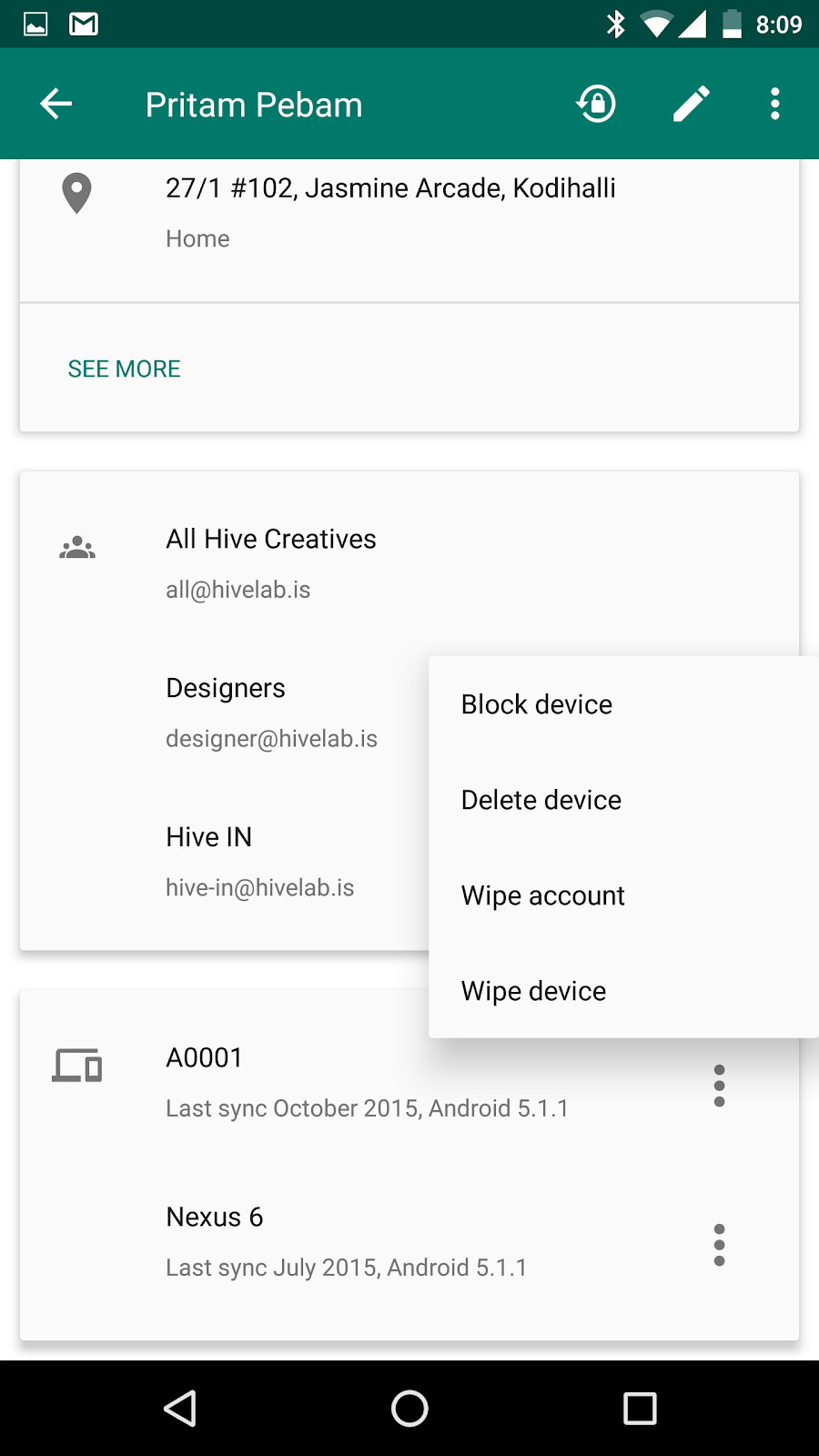
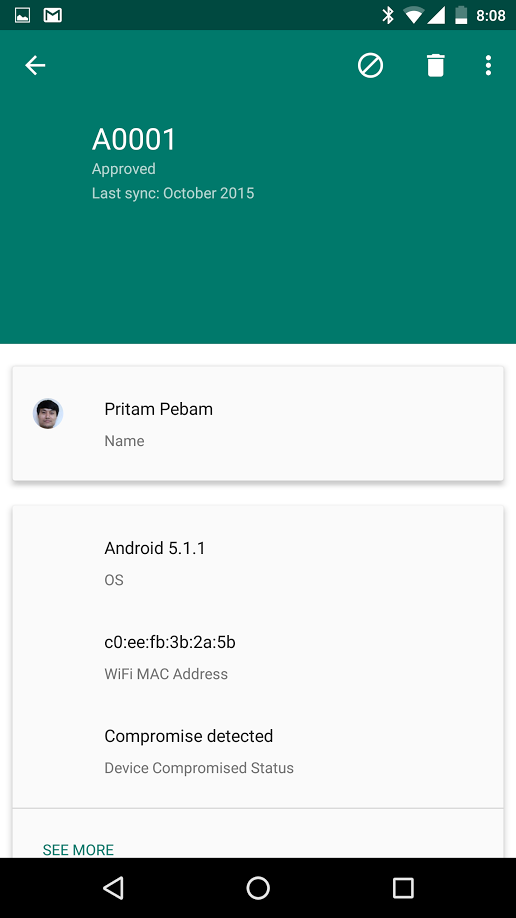
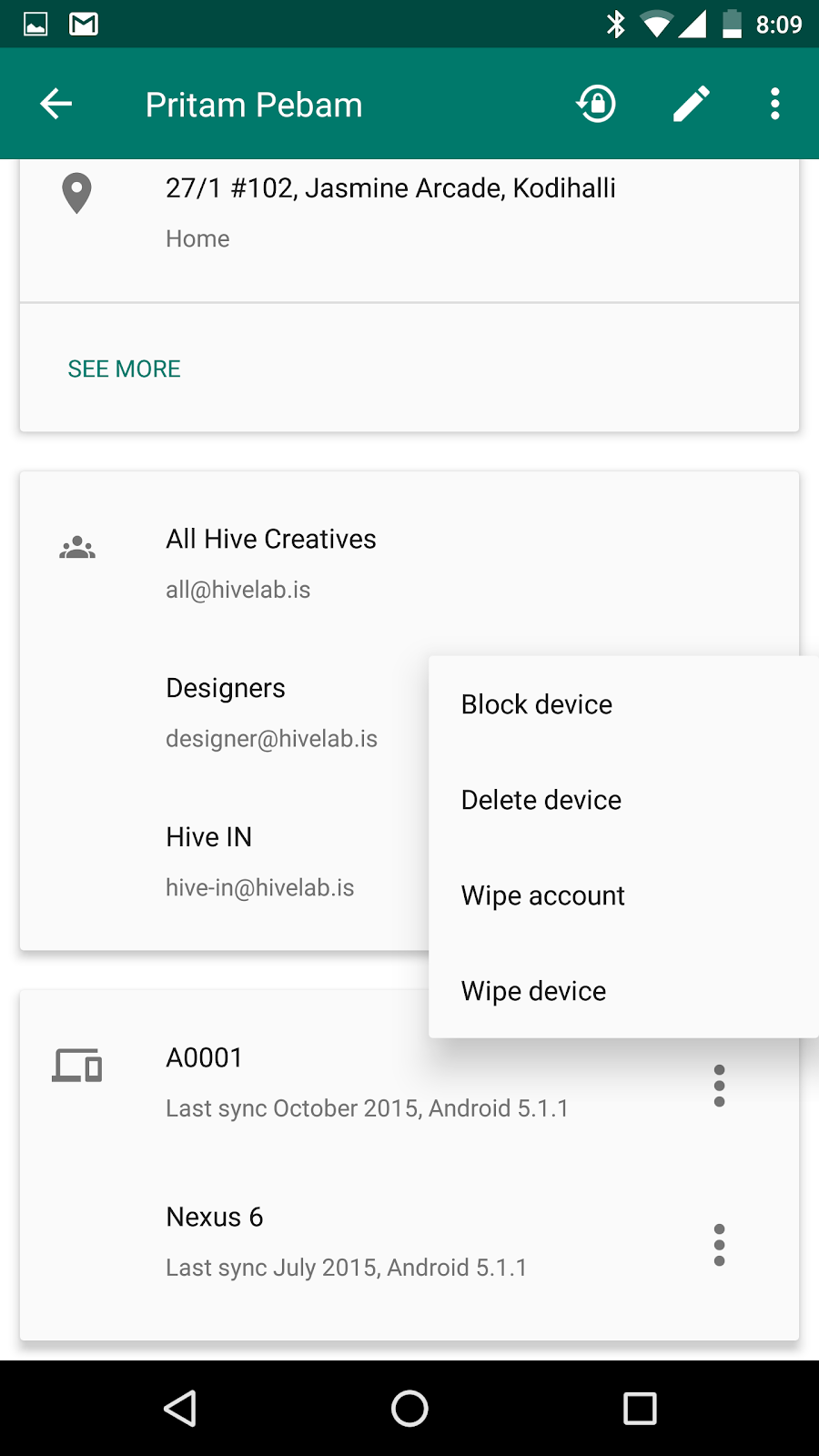
The latest version of the Google Admin app for Android brings many of the mobile device management (MDM) capabilities you love on your computer to your mobile phone or tablet. With this launch, you don’t need to be at your desk to view a list of your domain’s managed devices and to activate, block, delete, or wipe them. Because many of these actions may impact the security of your organization’s data, it’s important to be able to perform them anywhere, anytime. Now you can.

Android Admin app 1.png Android Admin app 2.png Android Admin app 1.png

In addition to these MDM features, the latest Admin app for Android automatically stores your preferences in the Cloud. Should you get a new device or uninstall (and then reinstall) the Admin app, your preferences will be restored.

Check out the Help Center for more information, and download the latest version of the Admin app for Android on Google Play.

Launch Details
Release track:
Launching to both Rapid release and Scheduled release

Rollout pace:
Gradual rollout (potentially longer than 3 days for feature visibility)

Impact:
Admins only

Action:
Admin action suggested/FYI

More Information
Help Center: Manage your users' devices from an Android device

Note: all launches are applicable to all Google Apps editions unless otherwise noted

Launch release calendar
Launch detail categories
Get these product update alerts by email
Subscribe to the RSS feed of these updates

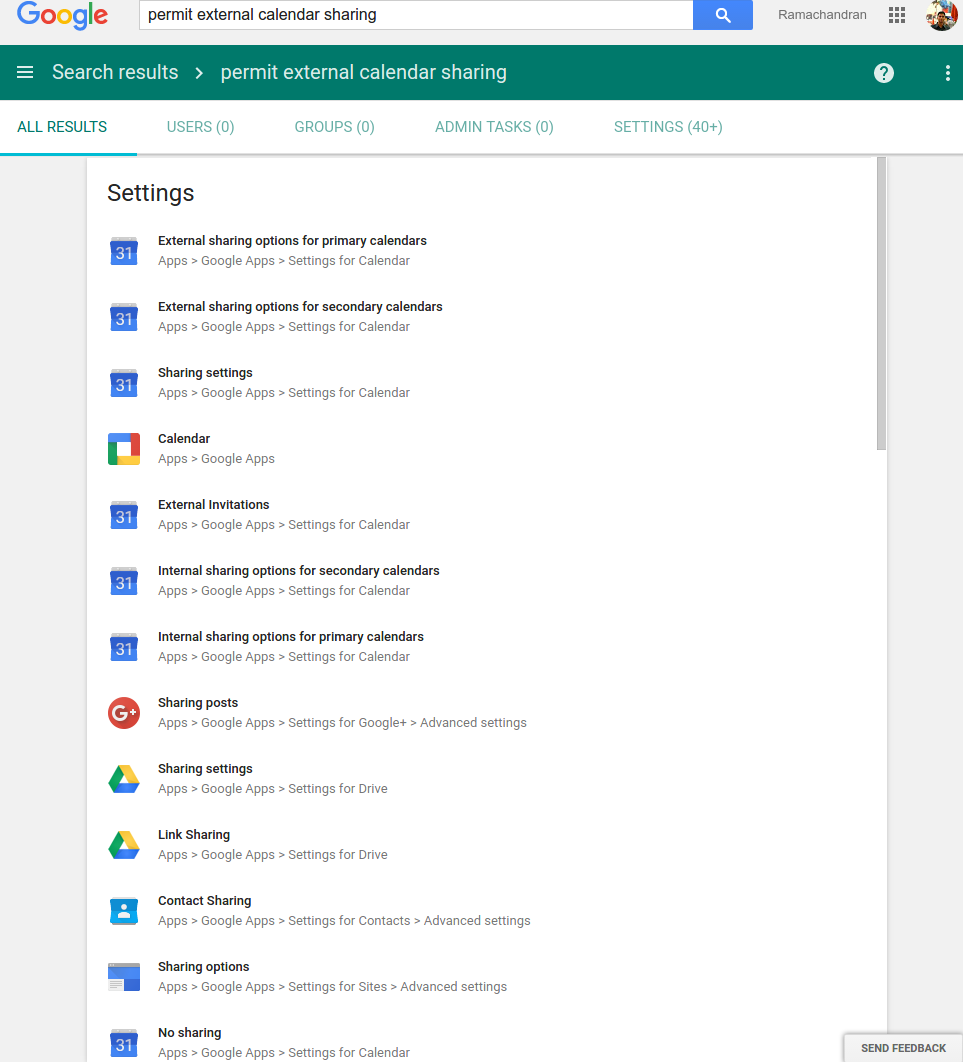
We know that it often takes too long to find the item you’re looking for in the Admin console. To simplify your searches, we’re launching natural-language-based, “free form” queries in the Admin console. Starting today, you can pose questions in everyday language or enter commonly used words into the Admin console search box, then choose from a list of suggested results to navigate directly to your intended destination. There’s no need to jump from page to page! In addition to the tasks, users, and groups that would previously show up as search results, you’ll now see specific settings and prominent Help Center articles listed as well.


AC Search.PNG

Check out the Help Center article below for more information on how you can save time searching the Admin console.

Please note that this feature is currently available for English-language searches only. Support for additional languages is coming soon; stay tuned!

Launch Details
Release track:
Launching to both Rapid release and Scheduled release

Rollout pace:
Gradual rollout (potentially longer than 3 days for feature visibility)

Impact:
Admins only

Action:
Admin action suggested/FYI

More Information
Help Center: Use natural language search

Note: all launches are applicable to all Google Apps editions unless otherwise noted

Launch release calendar
Launch detail categories
Get these product update alerts by email
Subscribe to the RSS feed of these updates