This official feed from the Google Workspace team provides essential information about new features and improvements for Google Workspace customers.


Commenting is crucial to collaboration amongst your employees. This launch makes it easier for them to work together—even from their mobile devices. In the latest version of the Google Sheets app for Android, users can now add new and reply to existing comments. In the newest Google Docs app for Android, they can now see comments and suggestions in Print Layout view—and then resolve, close, accept, or reject those comments and suggestions—making it simpler to move between their desktop and mobile devices.

android-screenshot-20150928-151019.png
This launch also helps users better create and edit charts in the Sheets app for Android. For instance, if a user a selects a single cell and inserts a chart, we’ll automatically expand that data selection to include the immediately surrounding cells. This will make it easier for users to create robust charts with relevant information. In addition, when an employee creates a new chart, they’ll now see three recommended chart types, which we’ll suggest based on the data they’ve selected.


As a bonus, when your employees download the latest version of the Sheets app for Android, they’ll be able to view the more than 400 new fonts added to Sheets on the web earlier this week.

For more information on these new features, check out the Help Center articles below.

Launch Details
Release track:
Launching to both Rapid release and Scheduled release

Rollout pace:
Gradual rollout (potentially longer than 3 days for feature visibility)

Impact:
All end users

Action:
Change management suggested/FYI

More Information

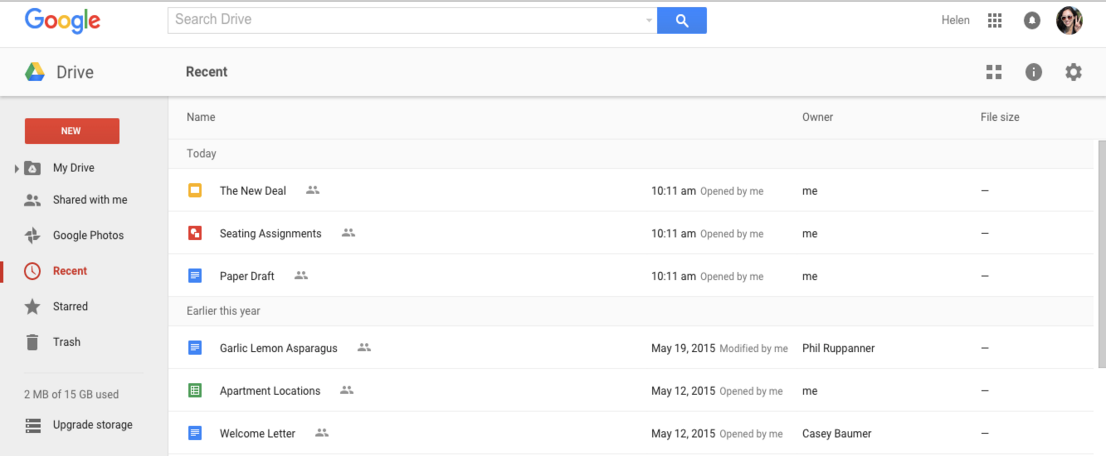
Google Drive lets people organize and access their content in a single, secure location. To make it easier for people to find and interact with that content on the web, today’s launch introduces a smarter sorting experience for the ‘Recent’ view in Drive.
drive-recent.png
The new sorting experience removes the existing sorting dropdown options (‘Last modified,’ ‘Last modified by me,’ and ‘Last opened by me’) and replaces them with a dynamically-generated view based on the actions of the person using Drive. Items will continue to be segmented into time-based sections (‘Today,’ ‘Earlier this week,’ etc), and will now indicate whether each item was opened, modified, or uploaded by the user directly in the UI. The smarter sorting ensures that items acted upon by the user are more likely to be shown than items acted upon by other collaborators.

Launch Details
Release track:  
Launching to Rapid release, with Scheduled release coming in two weeks

Rollout pace: 
Full rollout (1-3 days for feature visibility)

Impact: 
All end users

Action:
Change management suggested/FYI

More Information
Help Center

Note: all launches are applicable to all Google Apps editions unless otherwise noted

Launch release calendar
Launch detail categories
Get these product update alerts by email
Subscribe to the RSS feed of these updates

Sometimes emails are mistakenly marked as spam or put into Trash, and they can be difficult to discover via search. To help address this issue, Gmail will now search in both the Trash and Spam folders (only Trash was indexed previously). If a match is found, a footer at the bottom of search results will indicate the match and direct the user to view the messages.
trash-spam-footer.png
In addition, if a search query is too general to return useful search results, a different footer will now be shown guiding the user to try refining their query using Gmail advanced search.
advanced-search-footer.png
Launch Details
Release track:
Launching to Rapid release, with Scheduled release coming in two weeks

Rollout pace: 
Full rollout (1-3 days for feature visibility)

Impact: 
All end users

Action:
Change management suggested/FYI

More Information
Help Center


Note: all launches are applicable to all Google Apps editions unless otherwise noted

Launch release calendar
Launch detail categories
Get these product update alerts by email
Subscribe to the RSS feed of these updates

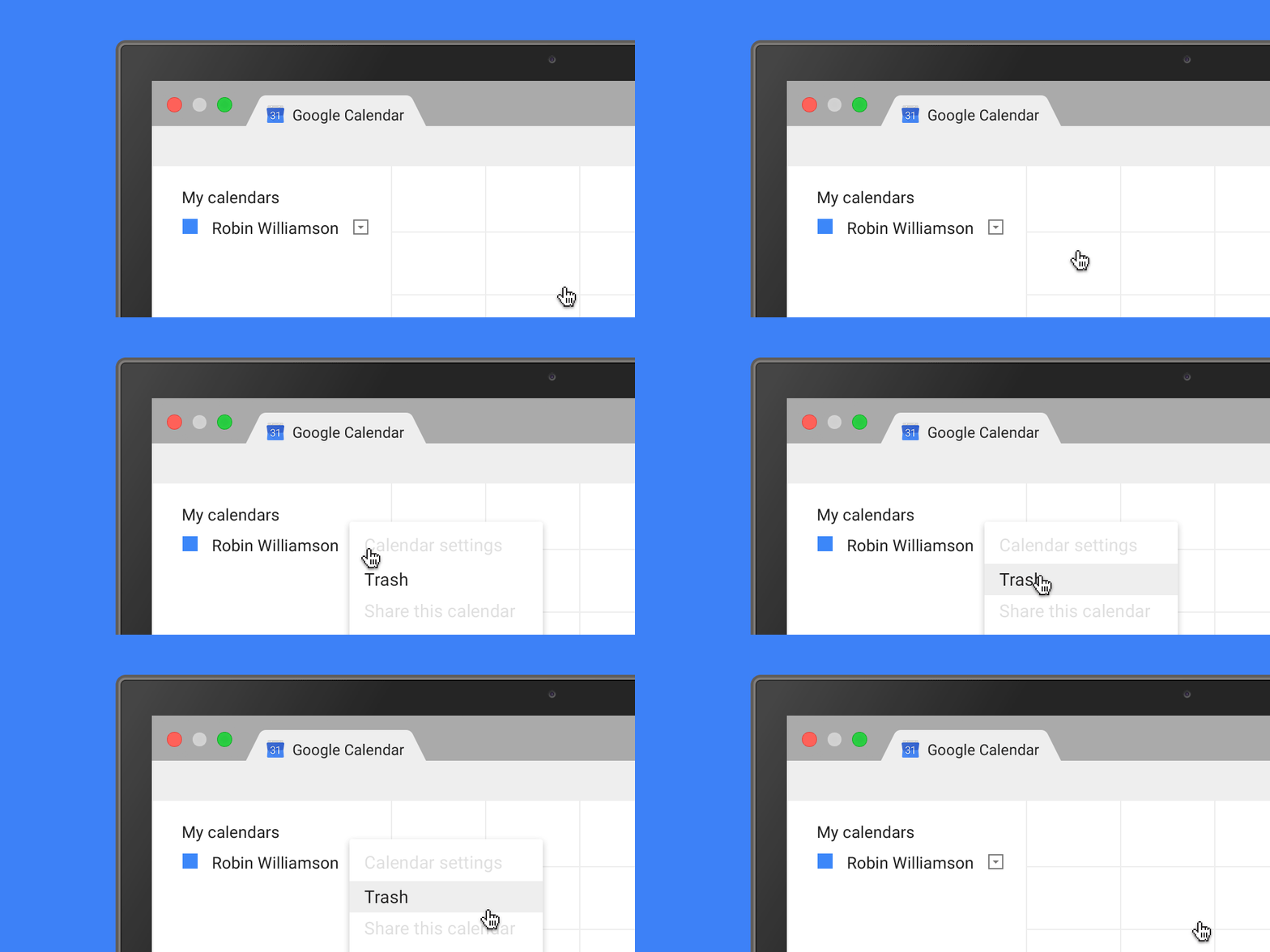
Ever deleted a calendar event by mistake and wanted to get it back - just like you can in Gmail and Drive? Now you can: today we’re adding Trash functionality to Google Calendar on the web, providing an easy way for users to view, permanently delete, or restore individual and recurring deleted calendar events. Trash puts calendar users in control by letting them quickly reverse any event mishaps, and limits escalations to Google Apps admins.
trash_gif.gif
Trash is accessible from the calendar's dropdown menu in the "My calendars" section as well as from Calendar Settings. This functionality is available for both primary calendars and secondary calendars for which people have edit rights.

Admins can track events restored or removed from Trash within their domain using Calendar Audit logs in the Admin console.

Check out the Help Center for more information.

Note: The first time a user deletes an event from a shared calendar after the launch, a one-time email notification will be sent to them from Google Calendar, explaining the Trash options and details around sharing settings.

Launch Details
Release track:  
Launching to both Rapid release and Scheduled release

Rollout pace: 
Full rollout (1-3 days for feature visibility)

Impact: 
All end users

Action:
Change management suggested/FYI

More Information
Help Center


Note: all launches are applicable to all Google Apps editions unless otherwise noted

Launch release calendar
Launch detail categories
Get these product update alerts by email
Subscribe to the RSS feed of these updates
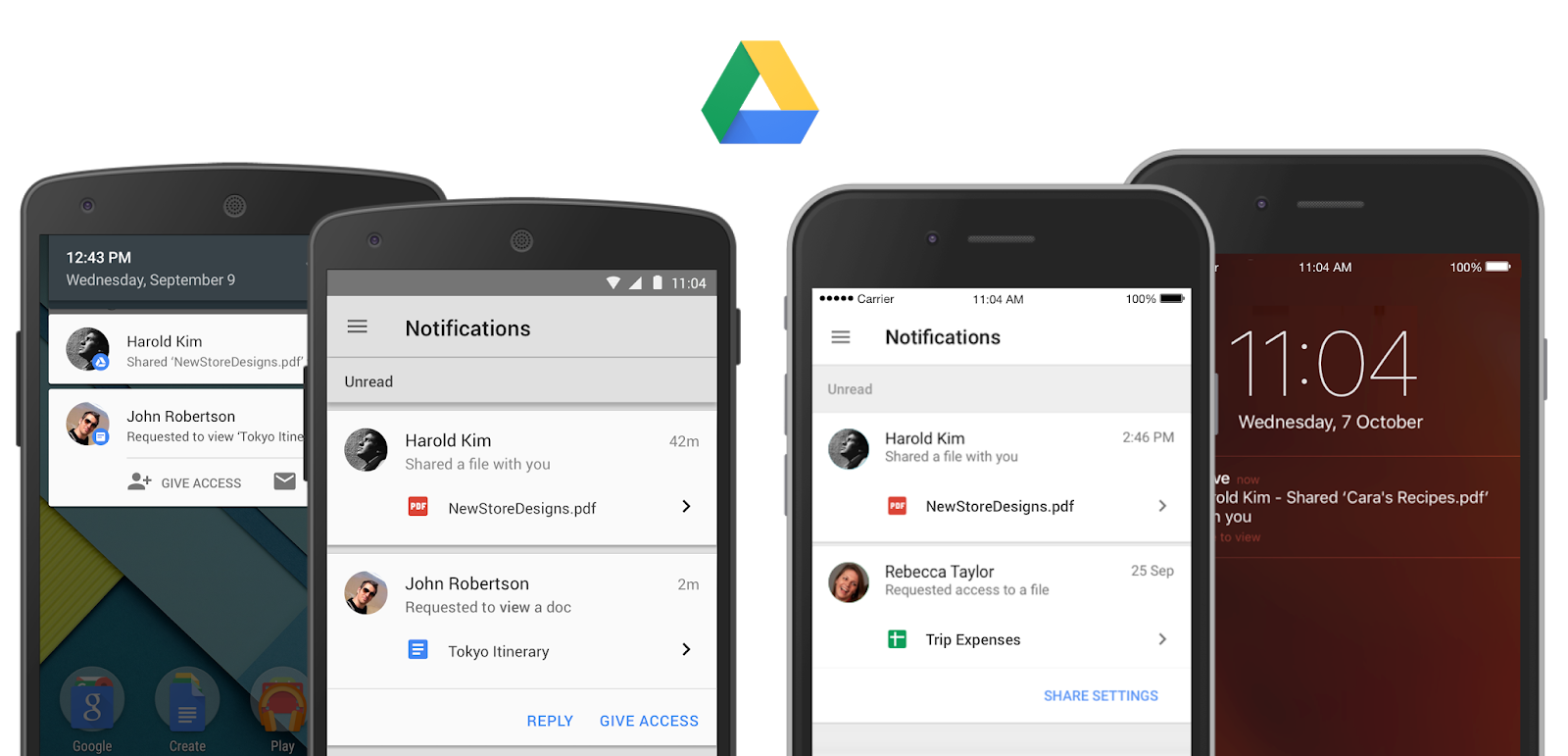
Following the recent addition of the ability to request access to Drive files on Android, today we’re making sharing on the go even easier with several new features in the Drive apps for Android and iOS.

Sharing notifications (Android and iOS)
People using the Drive app can now choose to receive mobile notifications when someone shares a Drive item with them, allowing them to open the file or folder by simply tapping on the notification. If a file/folder owner has notifications turned on and someone requests access to their content, the owner will be notified of the request instantly on their mobile device so they can quickly grant access.
  
People will be informed of this new feature the first time they use the updated versions of the Drive app, and can choose to turn it on or off in Settings.  

Consistent sharing experience across platforms (iOS)
We’re implementing a more consistent sharing experience in Drive (and the Docs editor apps too!) across platforms, including the ability for people using the Drive iOS app to add custom messages to recipients directly from the app when sharing a file. 

Seamless sharing to people without a Google account (Android)
Until now, a Google Account was needed to view shared files on an Android device. Now, people can do this without a Google Account just like they can on the web.


Launch Details
Release track:  
Launched to both Rapid release and Scheduled release

Rollout pace: 
Gradual rollout (potentially longer than 3 days for feature visibility)

Impact:
All end users

Action:
Change management suggested/FYI

More Information
Help Center: Android | iOS
Get the Google Drive Android app on Google Play
Get the Google Drive iOS app in the App Store


Note: all launches are applicable to all Google Apps editions unless otherwise noted

Launch release calendar
Launch detail categories
Get these product update alerts by email
Subscribe to the RSS feed of these updates