This official feed from the Google Workspace team provides essential information about new features and improvements for Google Workspace customers.


Following the recent addition of the ability to request access to Drive files on Android, today we’re making sharing on the go even easier with several new features in the Drive apps for Android and iOS.

Sharing notifications (Android and iOS)
People using the Drive app can now choose to receive mobile notifications when someone shares a Drive item with them, allowing them to open the file or folder by simply tapping on the notification. If a file/folder owner has notifications turned on and someone requests access to their content, the owner will be notified of the request instantly on their mobile device so they can quickly grant access.
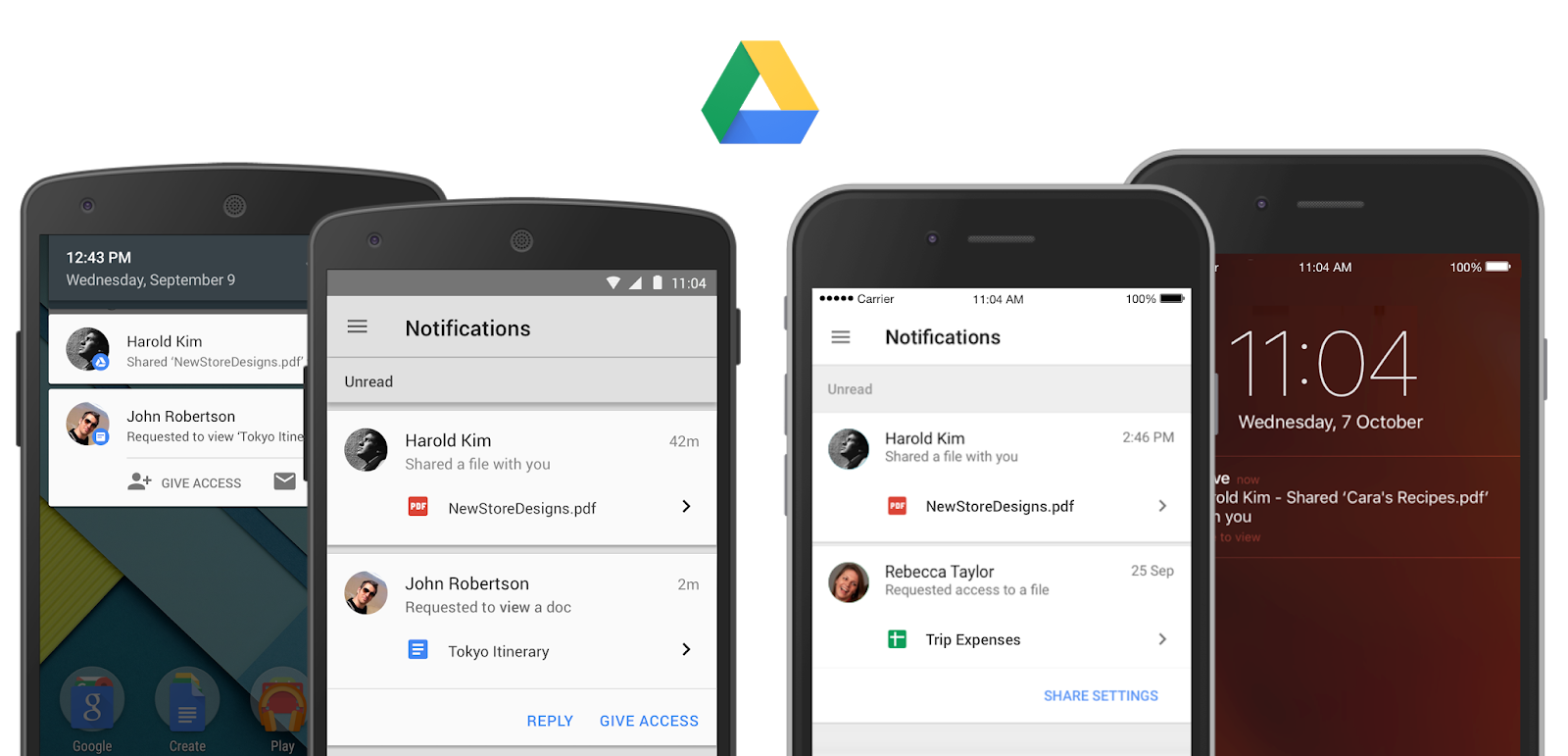
  
People will be informed of this new feature the first time they use the updated versions of the Drive app, and can choose to turn it on or off in Settings.  

Consistent sharing experience across platforms (iOS)
We’re implementing a more consistent sharing experience in Drive (and the Docs editor apps too!) across platforms, including the ability for people using the Drive iOS app to add custom messages to recipients directly from the app when sharing a file. 

Seamless sharing to people without a Google account (Android)
Until now, a Google Account was needed to view shared files on an Android device. Now, people can do this without a Google Account just like they can on the web.


Launch Details
Release track:  
Launched to both Rapid release and Scheduled release

Rollout pace: 
Gradual rollout (potentially longer than 3 days for feature visibility)

Impact:
All end users

Action:
Change management suggested/FYI

More Information
Help Center: Android | iOS
Get the Google Drive Android app on Google Play
Get the Google Drive iOS app in the App Store


Note: all launches are applicable to all Google Apps editions unless otherwise noted

Launch release calendar
Launch detail categories
Get these product update alerts by email
Subscribe to the RSS feed of these updates

An updated version of Google Apps Migration for Microsoft Exchange® (GAMME) is now available:

What’s New
  • Service Accounts and OAuth 2.0 tokens are now used for data migration authorization. This replaces the deprecated OAuth 1.0 protocol.
  • GAMME now uses the Gmail API for mail migration and label creation, replacing the Email Migration API v2 and Email Settings API, respectively.
  • Reserved labels are now prefixed with an underscore to ensure proper nesting in the Gmail web interface. For example, a folder named "Inbox/Receipts" is migrated as "_Inbox/Receipts."
  • If the migration user list includes a user that doesn't exist or there's an authorization issue, GAMME now detects the problem in all cases and doesn't try to migrate that user. Previously, GAMME would try each message individually and the failure would take a longer time.
  • Minor UI and logging improvements.

What’s Fixed
  • Multiple labels with names more than 225 characters long could cause a crash. 
  • Messages in subfolders of Deleted Items were not being correctly marked as Trash in Gmail.
  • Messages migrated from Exchange Public Folders to Google Groups show sender as "unknown@googlegroups.com."
  • GAMME would crash if any command line flag or setting content included "%s."
  • GAMME would fail to migrate the sender SMTP address in some rare cases.
  • IMAP commands and responses in the logs were sometimes truncated.

Launch Details
Release track:  
Launching to both Rapid release and Scheduled release

Rollout pace: 
Full rollout (1-3 days for feature visibility)

Impact: 
Admins only

Action:
Admin action suggested/FYI

More Information
What’s New in GAMME

Note: all launches are applicable to all Google Apps editions unless otherwise noted

Launch release calendar
Launch detail categories
Get these product update alerts by email
Subscribe to the RSS feed of these updates

The Google Apps Marketplace offers hundreds of quality enterprise apps that admins can install for their domains, enhancing their employees’ native Google for Work apps with additional functionality and features. We’re now making it easier for admins to determine the apps on the Google Apps Marketplace that work with Android for Work and that can be installed on their end users’ Android devices.

If you are logged in as an Apps for Work admin and visit the Google Apps Marketplace, you’ll now see an Available on Android for Work section that features a select number of apps and links directly to their Google Play for Work counterparts. This initial group of apps will also be easily identifiable via an Android icon in the Available on section of their public listings on the Marketplace.


If your organization has Android for Work enabled and you install one of these Available on Android for Work apps for your domain, you’ll be given the option to visit the Play for Work store, where you can approve the corresponding Android app and begin deploying it to your users. This will allow your employees to get started using native mobile apps more quickly and easily.

In conjunction with the changes described above, we’re also making it simpler to identify apps that work with Google Apps in the Play for Work store. Going forward, if you’re logged in as an Apps admin and visit the Play for Work store, select listings for apps that work with Google Apps will be marked Works with Google Apps and link to their Marketplace counterparts. If you have Android for Work enabled and approve one of those apps, you’ll be given the option to navigate directly to that counterpart on the Marketplace and install it for your domain.
Asana.png
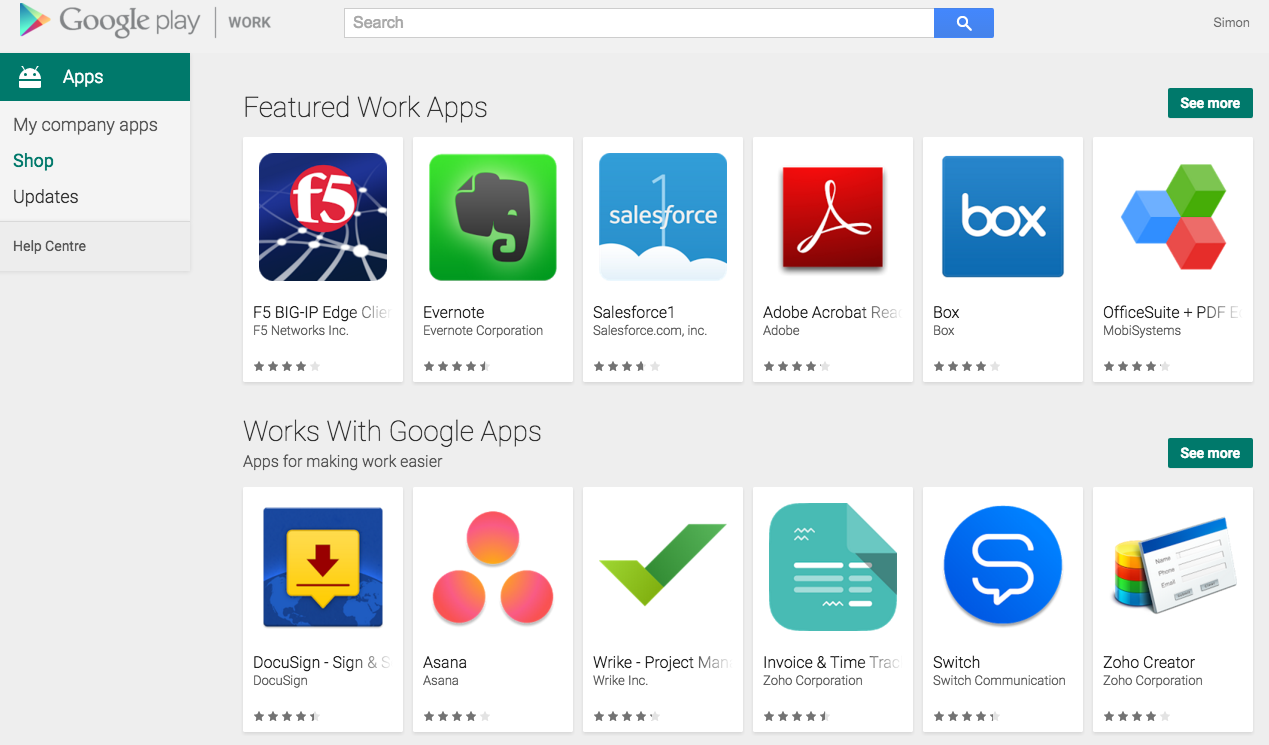
In addition, much like on the Marketplace, the Play for Work store will now display a Works with Google Apps section on its homepage. This section will allow you to quickly identify those Play for Work apps that have a Marketplace counterpart.
PfW Homepage.png
Initially, only a small group of apps will be featured in these Available on Android for Work and Works with Google Apps sections, though we’re looking to add more apps in the future.

Launch Details
Release track:
Launching to both Rapid release and Scheduled release

Rollout pace:
Full rollout (1–3 days for feature visibility)

Impact:
Admins only

Action:
Admin action suggested/FYI

More Information
Help Center


Note: all launches are applicable to all Google Apps editions unless otherwise noted

Launch release calendar
Launch detail categories
Get these product update alerts by email
Subscribe to the RSS feed of these updates

Google Apps aims to provide customers with a seamless experience when interacting with files and attachments, regardless of their file type. Today’s launch will provide a more consistent and useful experience when previewing Excel and other spreadsheet files (e.g. .csv, .tsv, .ods) in Google Drive and Gmail on the web. 

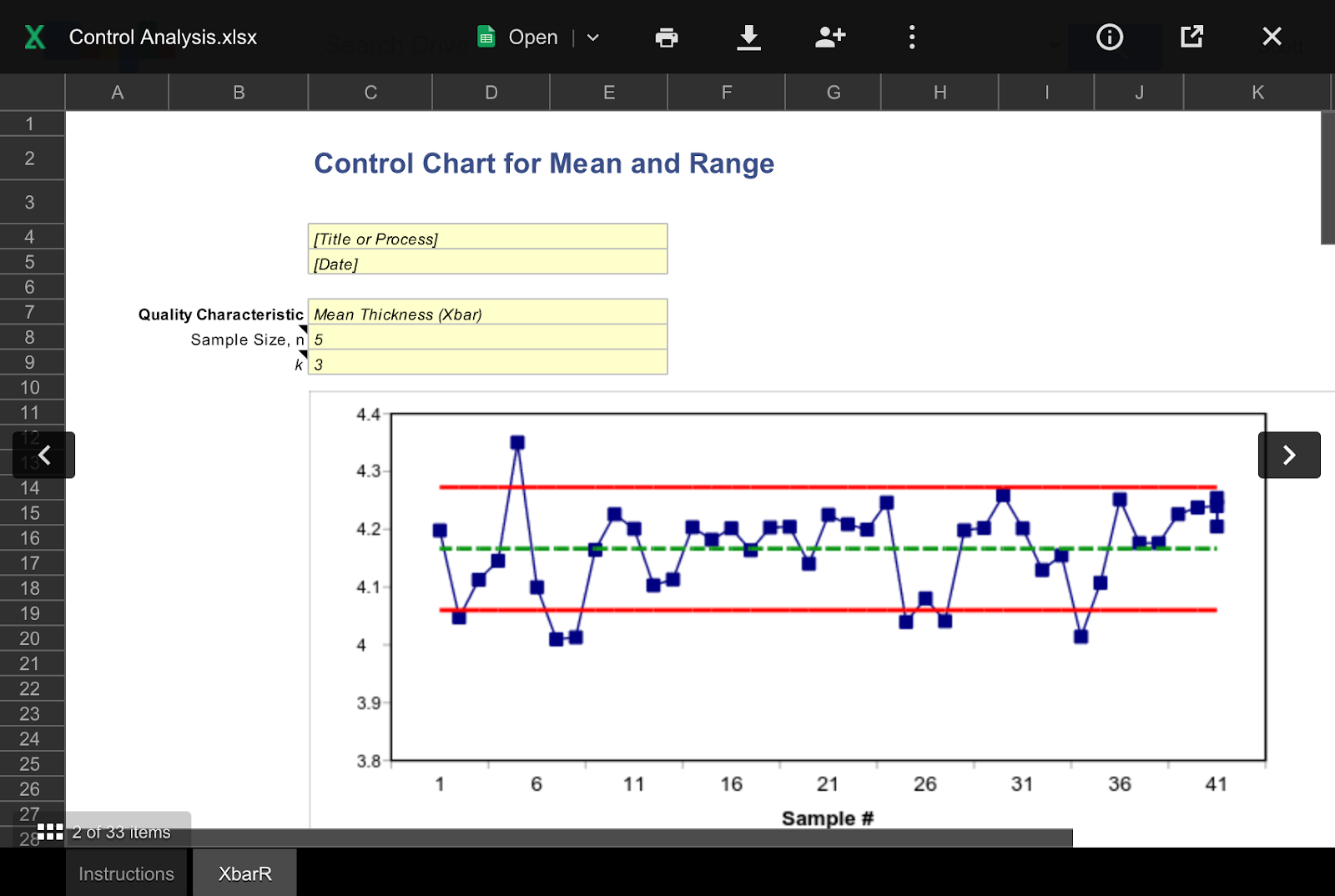
When spreadsheet files are opened in Drive or in Gmail as an attachment, the content will now be quickly and cleanly displayed in a view-only format that is searchable and easily navigable. People can then decide to print, download, share, or open the file in Google Sheets or another app for editing.

Launch Details
Release track:
Launching to Rapid release, with Scheduled release coming in two weeks

Rollout pace: 
Gradual rollout (potentially longer than 3 days for feature visibility)

Impact: 
All end users

Action:
Change management suggested/FYI


Note: all launches are applicable to all Google Apps editions unless otherwise noted

Launch release calendar
Launch detail categories
Get these product update alerts by email
Subscribe to the RSS feed of these updates


What's New in Apps newsletter header image
Check out the latest "What's New in Google Apps" newsletter [pdf] for a roundup of all Apps launches from October 2015.

Newsletter Archive & Translated Versions (coming soon for October issue)

Note: all launches are applicable to all Google Apps editions unless otherwise noted

Launch release calendar
Launch detail categories
Get these product update alerts by email
Subscribe to the RSS feed of these updates