Some third-party email clients can embed a whole message as an attachment. This creates a MIME part of "message/rfc822" content type. The content disposition header on these messages can be set to display either inline, or as a downloadable attachment typically with a .eml extension. Previously, if the message was set to inline, the Gmail web UI showed the contents of the embedded message after the message's main text, prefaced with "Forwarded." However, if the embedded message was marked as an attachment, it would not be shown and instead only a download link for "noname.eml" would be shown. With this launch, if the content disposition header is set as an attachment, these messages can now be viewed both as an inline expansion and as a full downloadable attachment. Please note that this new functionality works only for new messages. Launch Details Release track: Launched to both Rapid release and Scheduled release Rollout pace: Full rollout (1-3 days for feature visibility) Impact: All end users Action: Change management suggested/FYI Note: all launches are applicable to all Google Apps editions unless otherwise noted
Beginning August 31, 2015, web hosting in Google Drive for users and developers will be deprecated. Google Apps customers can continue to use this feature for a period of one year until August 31, 2016, when serving content via googledrive.com/host/doc id will be discontinued. In the time since web hosting in Drive was launched, a wide variety of public web content hosting services have emerged, and we think better options are available to people today. As a result, we have decided to discontinue this feature and focus on the core Drive and Google Apps experience. For those who have used Drive to host websites, Google Domains can refer you to third parties for website hosting functionality. For those who use this feature to serve non-user content to web and mobile applications, Google Cloud Platform offers a solution for this purpose. To identify active use of Drive web hosting in their domain, Google Apps admins can use the Account activity reports in the Admin console. These reports can pinpoint users who own items that are publicly shared in order for Admins to contact and assist them with alternate solutions. Launch Details Release track: N/A Rollout pace: N/A Impact: All end users Action: Admin action required More Information Help Center: Host webpages with Drive Help Center: Account activity reports Developer Documentation Note: all launches are applicable to all Google Apps editions unless otherwise noted
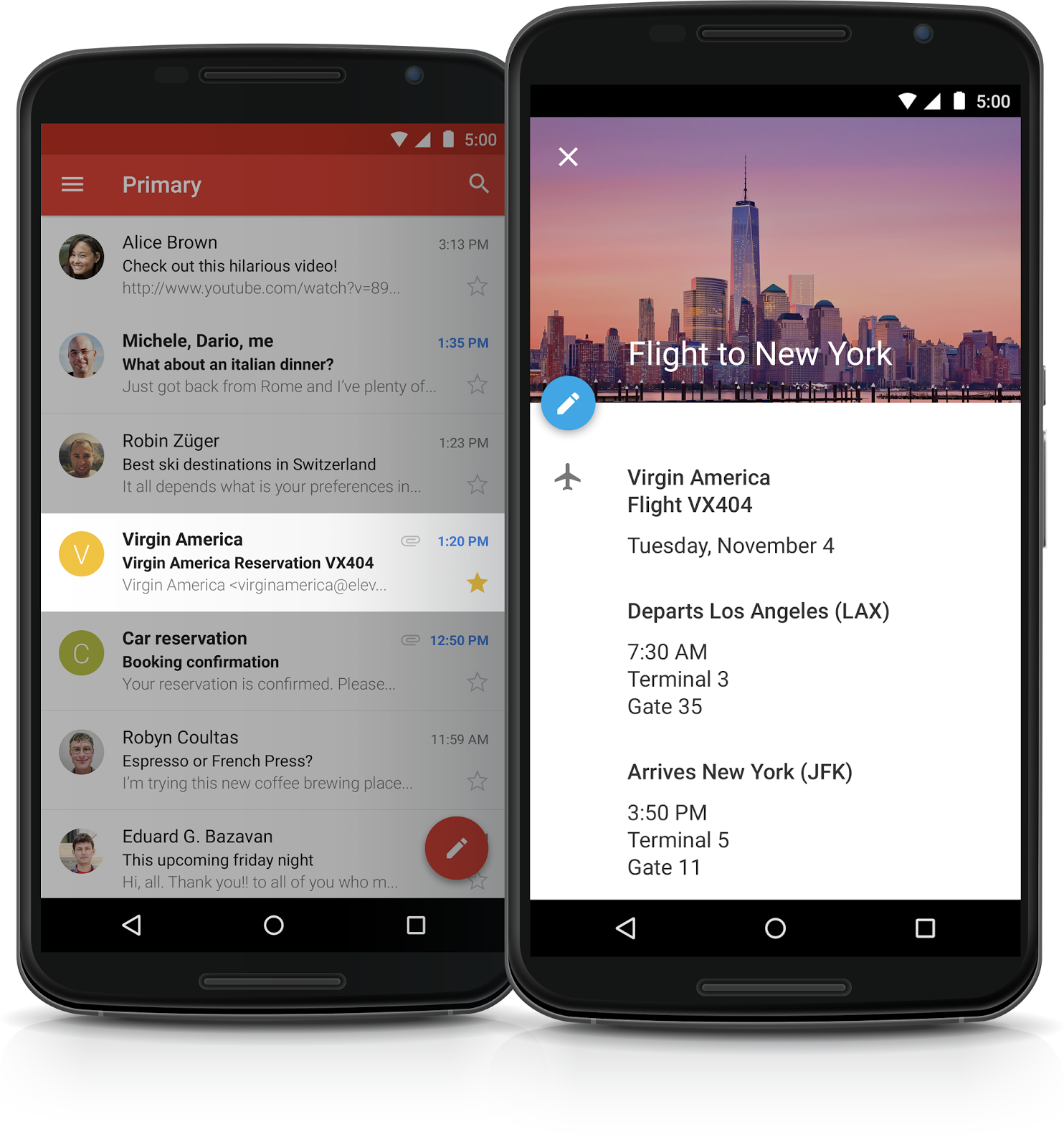
The Internet has made business travel―booking flights and hotels, reserving restaurant tables, buying event tickets, and more―infinitely easier. Adding that information to a calendar, on the other hand, has remained time-consuming and tedious, typically requiring people to copy and paste information from various confirmation emails. In the coming week, Gmail and Google Calendar will start working together to lighten that load for Google Apps customers, and make business travel planning even more seamless. When an individual receives an email in Gmail with flight, hotel, restaurant, or ticketed event information, that event will be automatically added to their Google Calendar, complete with things like flight numbers and check-in times. Calendar will even update those events if plans change and a new email is received (for instance, when a flight is delayed or a reservation pushed back). This feature will be enabled by default on desktop and mobile (both iOS and Android) for all Google Apps customers―with the exception of Google Apps for Government domains, for whom the feature is not available. Events from Gmail added to Calendar will be visible only to calendar owners by default (those with delegated access will not see these events). Calendar owners will be able to delete any individual unwanted events as well as adjust visibility settings, or disable the feature altogether, in their Calendar settings if so desired.
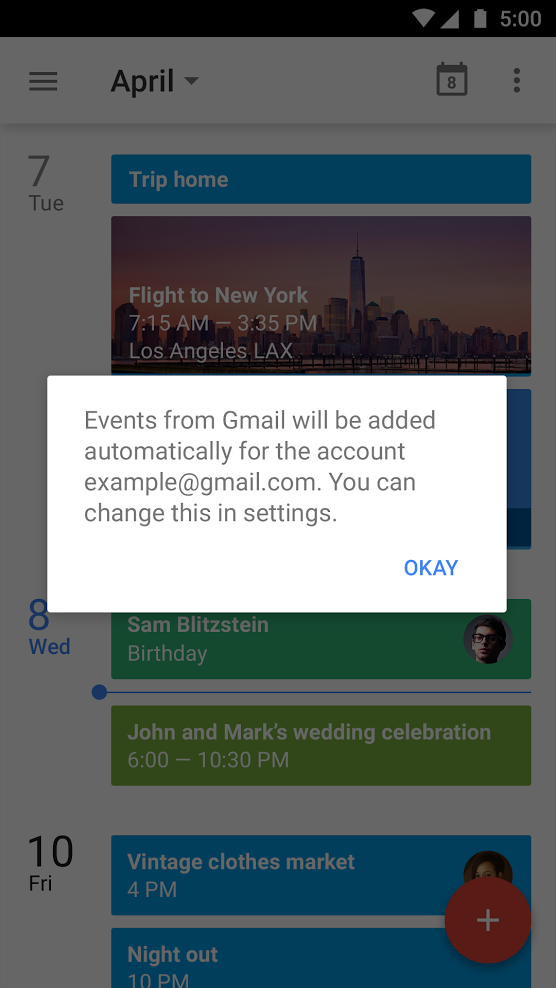
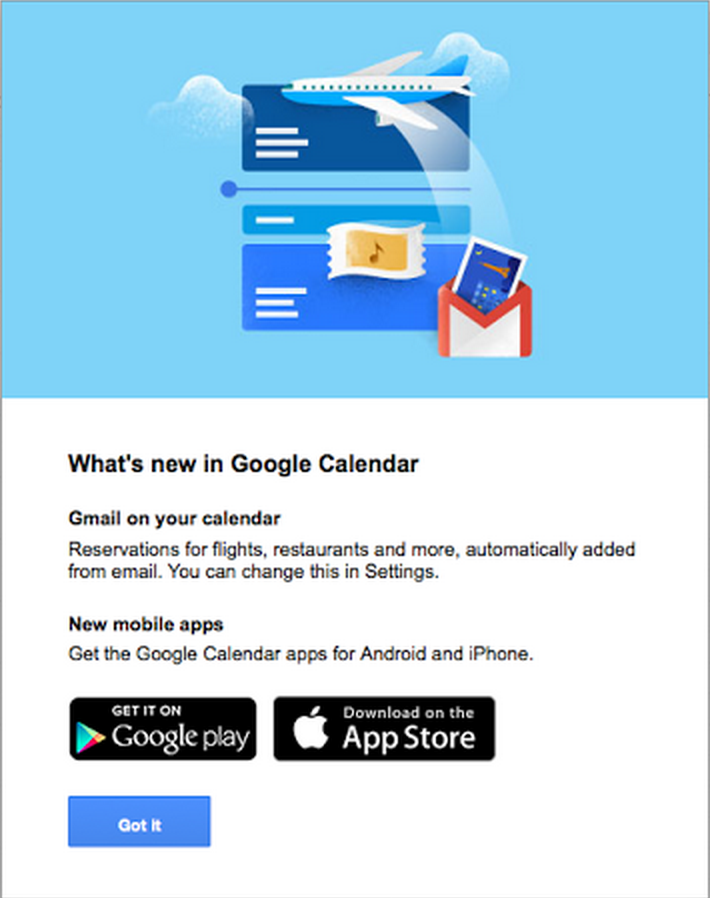
At launch, people using Calendar will see an in-product screen, either on mobile or web (whichever is accessed first), explaining that events from Gmail will be automatically added for their account, and indicating that the feature can be disabled in settings.
Once the first event from Gmail is added, a one-time email notification will also be sent to the user from Google Calendar, explaining the settings and sharing details for events from Gmail. Check out the Help Center for more information. Notes:
This feature is not available for Google Apps for Government customers
This feature was launched to consumer Gmail accounts late last year
Launch Details Release track: Launch to Rapid release planned for next week, with Scheduled release following two weeks later (monitor the launch calendar for specific dates) Rollout pace: Gradual rollout (potentially longer than 3 days for feature visibility) Impact: All end users Action: Change management suggested/FYI More Information Help Center Note: all launches are applicable to all Google Apps editions unless otherwise noted
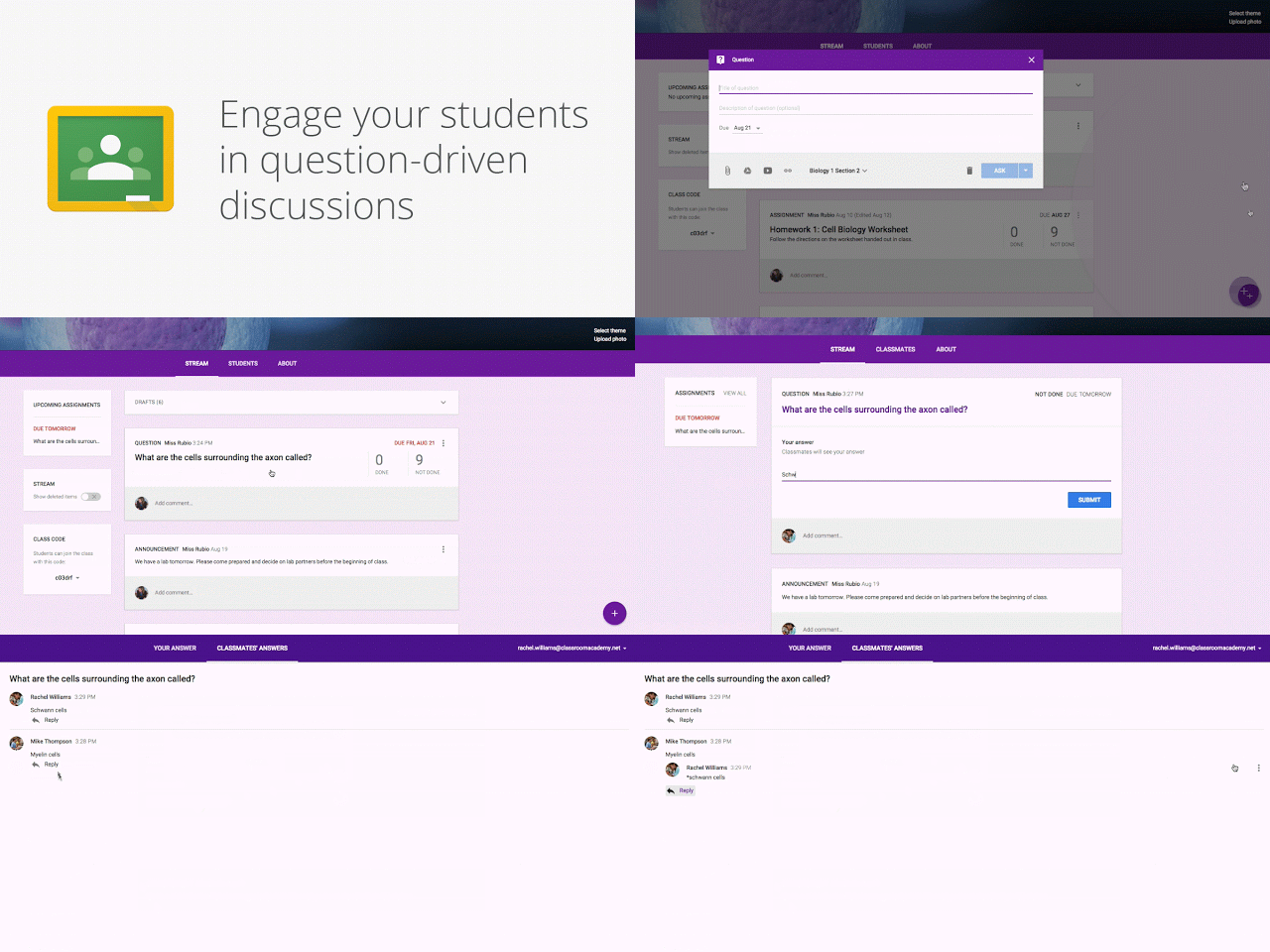
As teachers gear up for the new school year, we’re adding a number of new features in Google Classroom to help them save time, engage with students, and keep everyone organized. Most of these features are rolling out this week, with others coming soon. Keep students engaged with question-driven discussions Since Classroom launched last year, teachers have been using their class stream to host student debates, Q&A, and discussions. Starting today, they’ll be able to do this in a more collaborative way. They can post questions to their class and allow students to have discussions by responding to each other’s answers (or not, depending on the setting chosen). For example, teachers could post a video and ask students to answer a question about it, or post an article and ask them to write a paragraph in response.
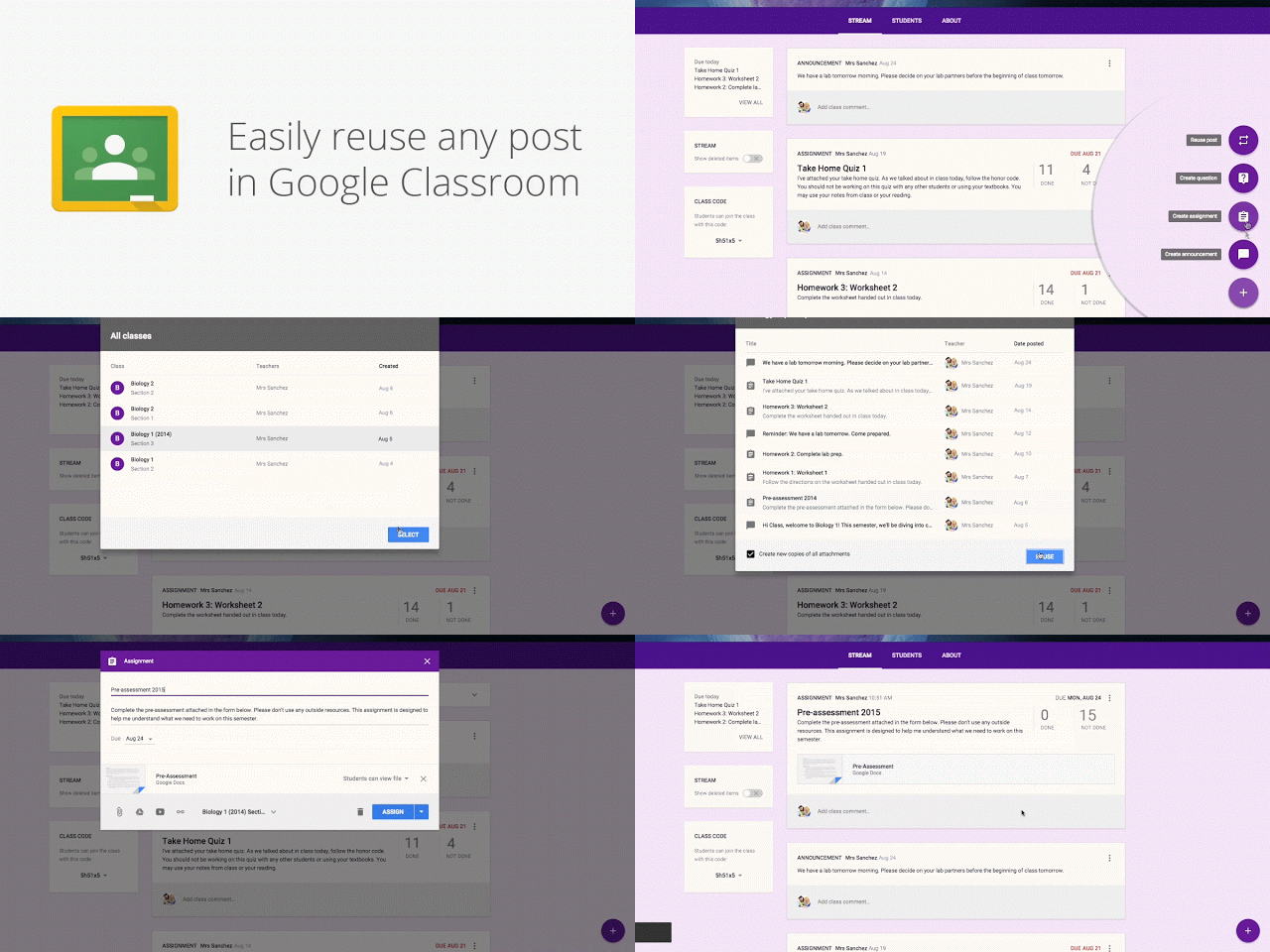
Reuse posts Teachers can now reuse assignments, announcements or questions from any one of their classes — or any class they co-teach, whether it’s from last year or last week. Once they choose what to copy, they’ll also be able to make changes before posting or assigning it.
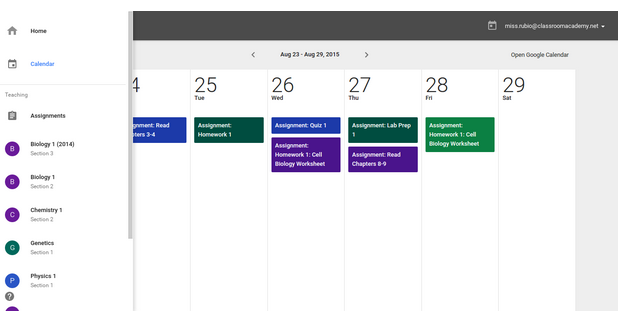
Calendar Integration In the next month, Classroom will automatically create a calendar for each class in Google Calendar. All assignments with a due date will be automatically added to class calendars and kept up to date. Teachers will be able to view their calendar from within Classroom or on Google Calendar, where they can manually add class events like field trips or guest speakers. And a few more improvements based on teacher feedback:
Bump a post: When teachers want to make sure an older item is easy for students to find, they can now move any post to the top of the stream.
Due dates optional: For long-term projects or student-driven assignments, teachers will have the option to create assignments that don’t have due dates.
Attach a Google Form to a post: Many teachers have been using Google Forms as an easy way to assign a test, quiz or survey to the class. Coming in the next few weeks, teachers and students will soon be able to attach Google Forms from Drive to posts and assignments, and get a link in Classroom to easily view the answers.
Launch Details Release track: Launching to both Rapid release and Scheduled release this week, with the exception of Calendar integration and attaching a Google Form, which are planned for the coming weeks Rollout pace: Full rollout (1–3 days for feature visibility) Impact: All end users (teachers/students) Action: Change management suggested/FYI More Information Help Center: Post a question Help Center: Reuse a post Help Center: Move posts Note: all launches are applicable to all Google Apps editions unless otherwise noted
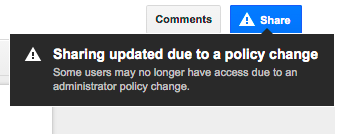
In July, we launched notifications in the Google Drive, Docs, Sheets, and Slides sharing dialogues that warn users when they attempt to share files with others but cannot do so due to their own or the recipient’s domain-wide sharing settings. Starting today, a similar warning will appear when a user hovers over the Share button in a Google Docs, Sheets, or Slides file if that user is allowed to edit that file’s permissions. As with the sharing dialogue, this warning will appear when:
a file is shared with a person outside of the sharing employee’s domain, but sharing outside of that employee’s domain is disabled,
a file is shared with a person outside of the sharing employee’s domain, but sharing into the receiving person’s domain is disabled, and/or
a file is shared using one of the “anyone” options, but sharing or publishing outside of the sharing employee’s domain is disabled.
This feature was specifically requested following the July launch and gives your employees increased visibility into how their files are being shared.
Launch Details Release track: Launching to both Rapid release and Scheduled release
Rollout pace: Full rollout (1–3 days for feature visibility)
Impact: All end users
Action: Change management suggested/FYI
More Information Help Center Note: all launches are applicable to all Google Apps editions unless otherwise noted
In the Google Cloud Community, discuss the latest features with Googlers and other Google Workspace admins like you. Learn tips and tricks that will make your work and life easier. Be the first to know what's happening with Google Workspace.
On the “What’s new in Google Workspace?” Help Center page, learn about new products and features launching in Google Workspace, including smaller changes that haven’t been announced on the Google Workspace Updates blog.
Discover how a diverse range of organizations, from small businesses and nimble startups to globally recognized Fortune 500 corporations, leverage the collaborative power of Google Workspace. Explore examples of how teams of are streamlining workflows and driving productivity by utilizing Google-Workspace.