
februari 25, 2015
Customizable headers and footers, page numbers in Google Docs


People using Google Docs can now use different headers and footers on the first pages of their documents, which comes in handy for:
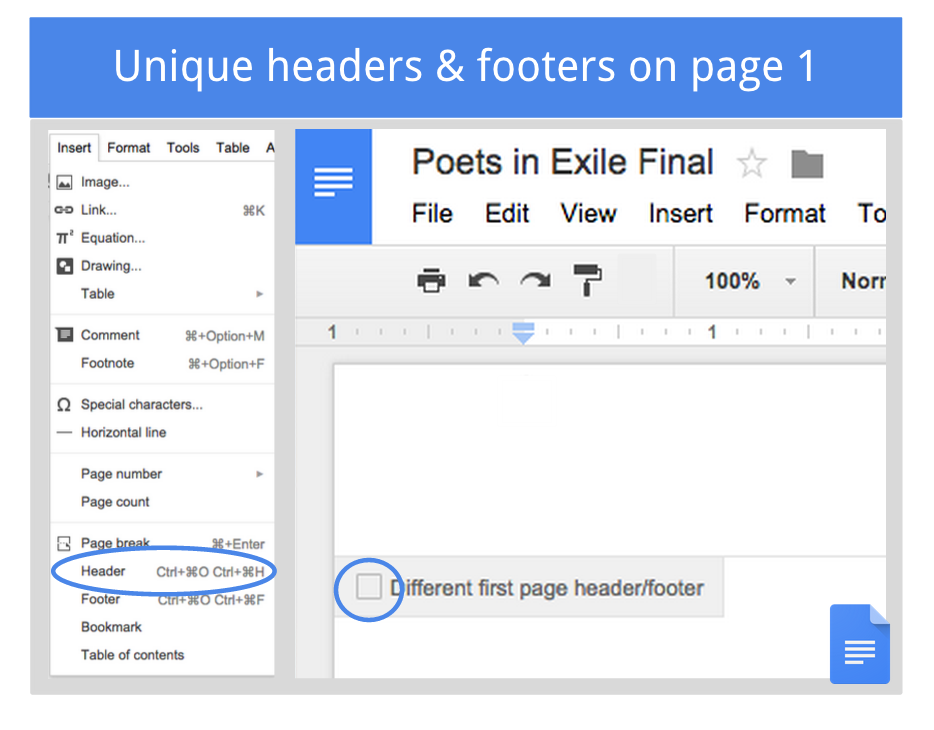
After inserting a header or footer in your document you’ll see a new checkbox―just tick it and you’ll be able to set a different header and footer on the first page:
There’s also a new Insert > Page Number menu that lets you customize how and where you start your page numbers―like on the bottom of the second page, for example.
Release track:
Rapid release and Scheduled release
For more information:
Help Center: Headers and Footers
Help Center: Page numbers
Note: all launches are applicable to all Google Apps editions unless otherwise noted
Launch release calendar
Get these product update alerts by email
Subscribe to the RSS feed of these updates
- Following academic formatting guidelines (e.g. MLA, CMS, APA)
- Starting page numbering on the second page
- Making a title page without headers or footers
After inserting a header or footer in your document you’ll see a new checkbox―just tick it and you’ll be able to set a different header and footer on the first page:
There’s also a new Insert > Page Number menu that lets you customize how and where you start your page numbers―like on the bottom of the second page, for example.
Release track:
Rapid release and Scheduled release
For more information:
Help Center: Headers and Footers
Help Center: Page numbers
Note: all launches are applicable to all Google Apps editions unless otherwise noted
Launch release calendar
Get these product update alerts by email
Subscribe to the RSS feed of these updates